GlowSkin

GlowSkin

See your skin change. A daily photo becomes a score, a plan that fits what you already use, and honest answers when something new shows up.

How sign-in works

GlowSkin signs you in with a one-time code sent by SMS. You opt in by entering your own mobile number in the app and tapping “Text me a code”; the screen states that GlowSkin texts you a one-time code to sign in, that message and data rates may apply, that it is one text per sign-in, and that you can reply STOP to cancel or HELP for help, with links to this privacy policy and the terms. Your number is used for nothing else and is never shared.
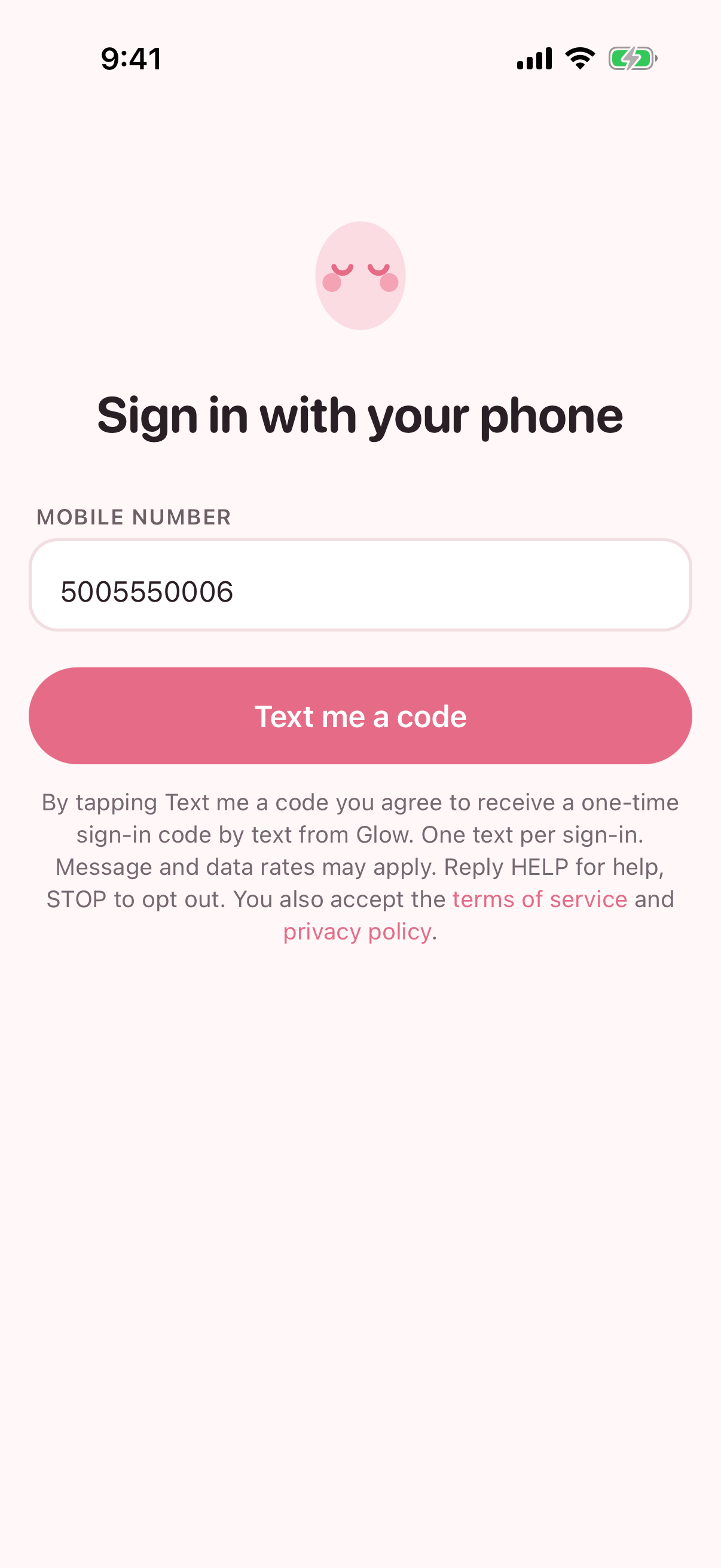
GlowSkin sign-in screen: a mobile number field, a Text me a code button, and under it the consent statement: by tapping Text me a code you agree to receive a one-time sign-in code by text from GlowSkin, one text per sign-in, message and data rates may apply, reply HELP for help, STOP to opt out, with links to the terms of service and privacy policy
1. The form: the consent statement sits directly under “Text me a code”, so tapping the button is the opt-in.
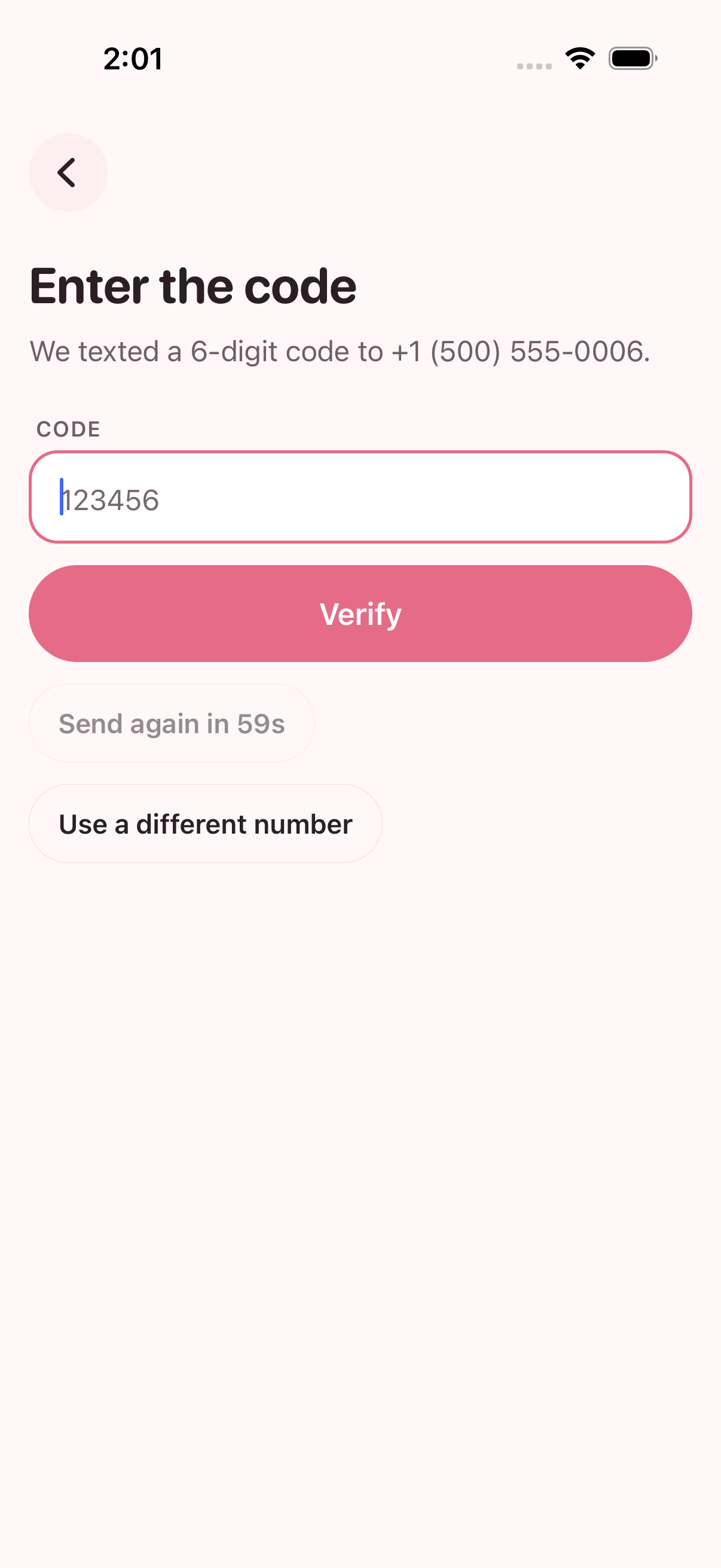
Confirmation screen: Enter the code, we texted a 6-digit code to your number, with a Verify button, a resend timer and a Use a different number option
2. Confirmation after submitting: “We texted a 6-digit code to +1 (500) 555-0006.” The text reads “Your GlowSkin code is 123456. It expires in 10 minutes.”